Vehicle Services and Options
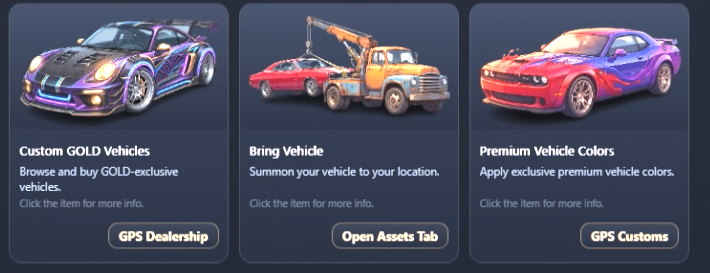
In this section of the in-game [/shop], players can access advanced features for their personal cars, navigate to the exclusive Gold dealership, or apply premium paint jobs.
Available Options
Each card provides direct interaction buttons or map directions:
- Custom GOLD Vehicles Allows you to browse and buy GOLD-exclusive vehicles. Clicking the GPS Dealership button will automatically set a waypoint on your map leading directly to the dealership showroom.
- Bring Vehicle A handy service that summons your personal vehicle right to your current live location. Clicking the Open Assets Tab button takes you directly to your assets management menu to select which car to bring.
- Premium Vehicle Colors Gives you the ability to apply premium, unique colors and paint effects to your cars. Clicking GPS Customs routes your radar to the nearest vehicle customs workshop.
How to Use
- Open the in-game shop using the
[/shop]command. - Navigate to the Vehicle Services category.
- Click on the desired item, then use the bottom action buttons (GPS Dealership, Open Assets Tab, or GPS Customs) depending on which feature you want to trigger.