Vehicle Impound
1. Impound Types and Locations
There are 3 main types of Impounds on the server, categorized by vehicle type:
- Cars Impound: Depots designated for land vehicles.
- Boats Impound: Depots located near water/docks for aquatic vehicles.
- Air Impound (Planes & Helicopters): Depots located at airports or helipads for aerial vehicles.
All depots are marked on the map with a red tow hook icon ( ).
).
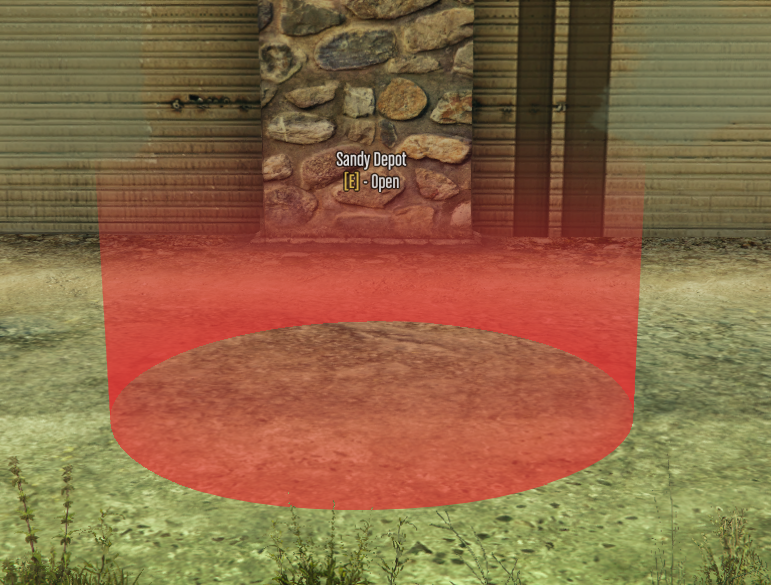
Accessing the Menu
- Go to one of the impound locations specific to your vehicle type.
- Step inside the red marker in front of the depot where the interaction prompt appears (ex
Sandy Depot [E] - Open). - Press E to open the impound user interface.
2. Interface and Features
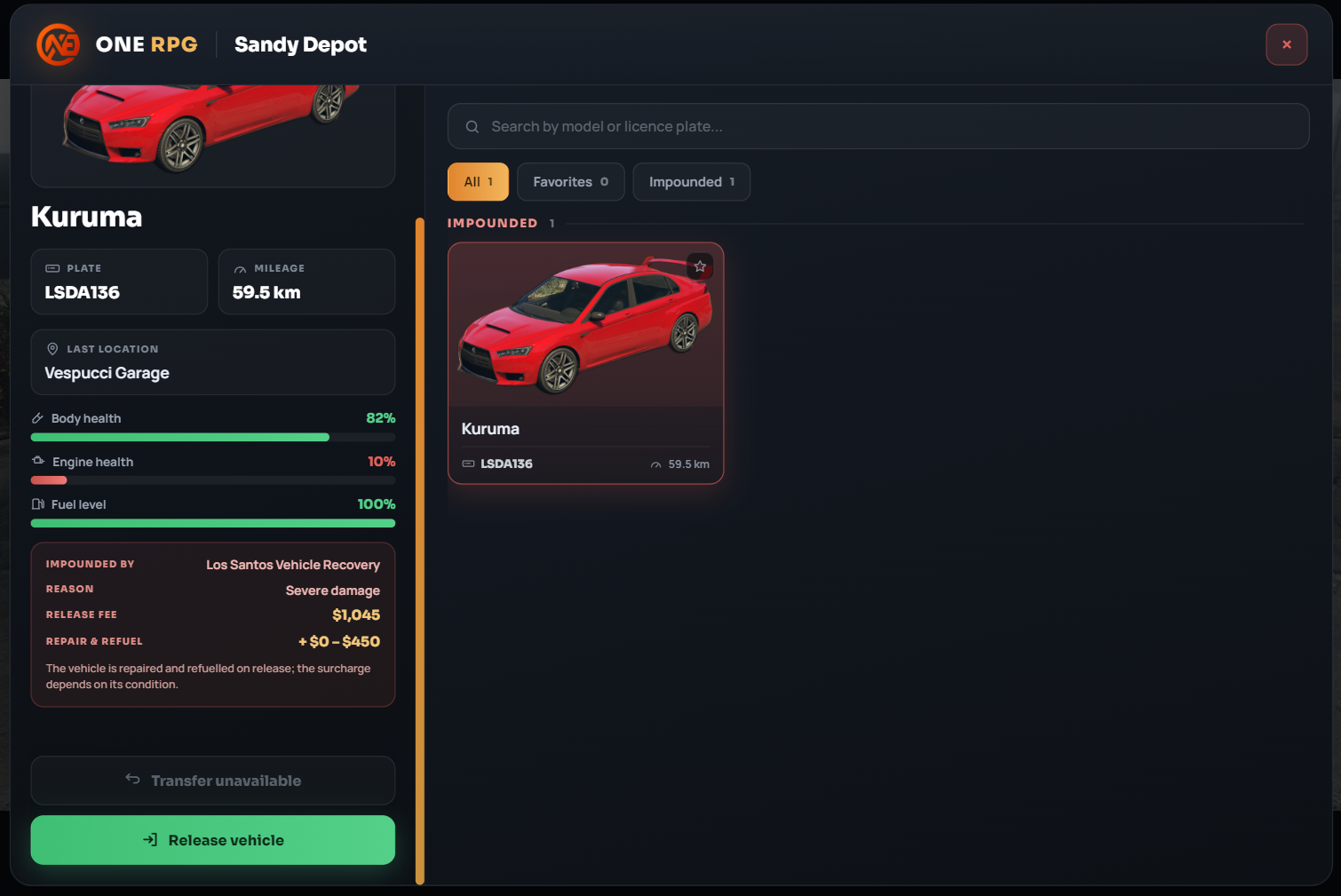
The interface is organized to provide quick access to vehicle status and information:
A. Search Bar and Filters (Top)
- Search box: Allows you to quickly search for a vehicle by entering its model or license plate (
Search by model or licence plate...). - Quick Filters:
- All: Displays all vehicles stored in the depot.
- Favorites: Displays only vehicles marked as favorites.
- Impounded: Filters vehicles currently in impounded status.
B. Vehicle Information Panel (Left)
When selecting a vehicle from the list, the left panel displays detailed information:
- General Information:
- PLATE: Vehicle license plate (ex LSDA136).
- MILEAGE: Accumulated mileage (ex 59.5 km).
- LAST LOCATION: Last registered location where the vehicle was parked or garaged (ex Vespucci Garage).
- Technical Condition:
- Body health: Bodywork condition percentage.
- Engine health: Engine condition percentage.
- Fuel level: Current fuel level percentage.
- Impound Details (IMPOUNDED BY):
- Impounded by: Entity or service that towed the vehicle (ex Los Santos Vehicle Recovery).
- REASON: Reason for impounding (ex Severe damage).
- RELEASE FEE: Fixed release fee (ex $1,045).
- REPAIR & REFUEL: Additional fee for vehicle repairs and refueling upon release (ex +$0 - $450).
3. Releasing and Transferring Vehicles
- Release vehicle: Click the green Release vehicle button to pay the total release fee (fixed fee + repairs/refuel). The vehicle will be spawned, fully repaired, and refueled on the spot.
- Transfer unavailable: If this option is disabled, the vehicle cannot be transferred directly to another garage without being released from the impound depot first.