Taxi
The server's Taxi system is fully integrated both as a civilian job to generate income and as a rapid transportation service via the dedicated smartphone application.
Job Guide (For Drivers)
The Taxi Driver job is an ideal civilian activity for players looking to explore the map and earn money by transporting passengers to their requested destinations.
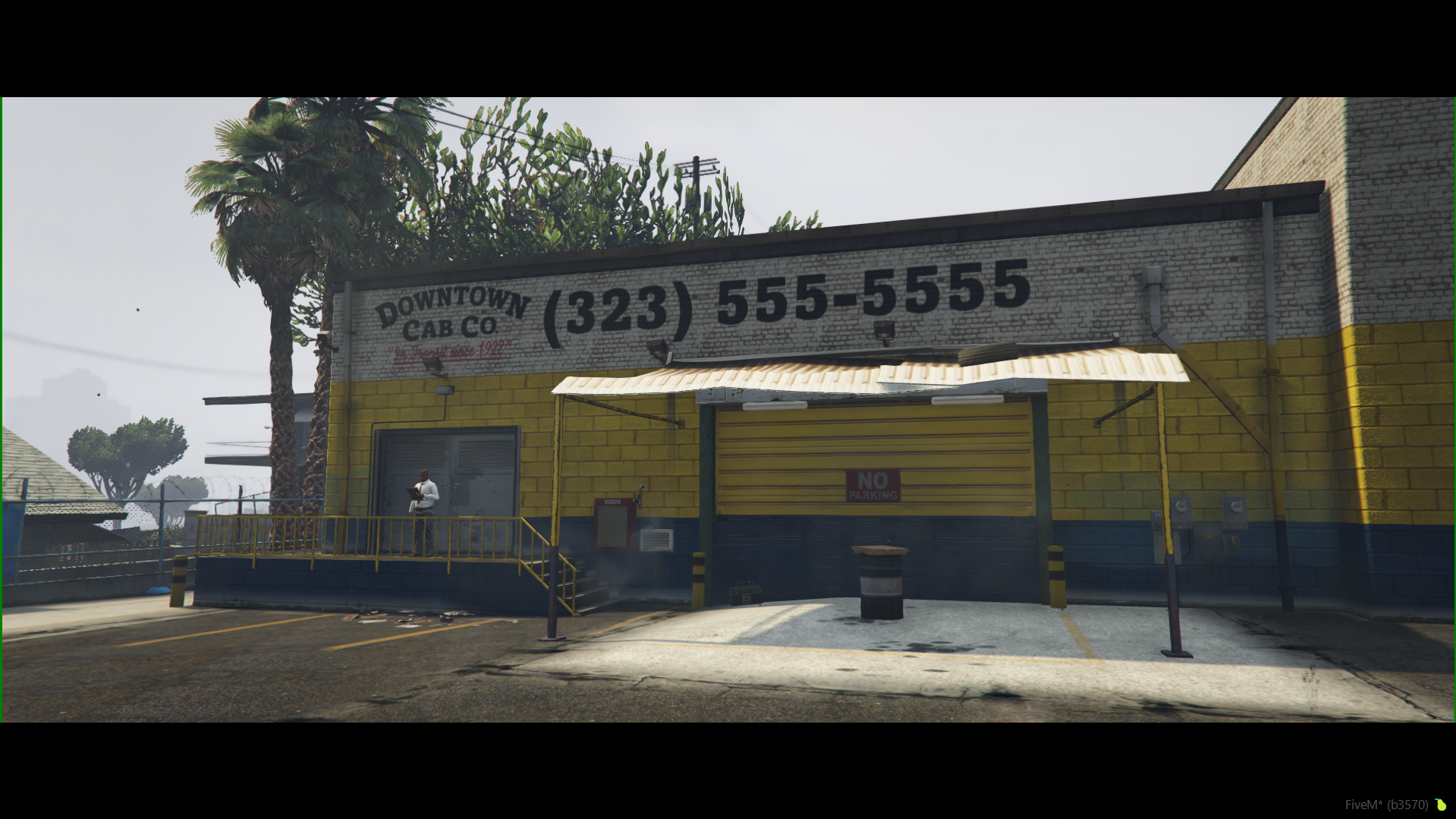
How to Start the Taxi Job
To work as a taxi driver, complete the following steps directly at the company headquarters:
- Headquarters Location: Go to the central Downtown Cab Co. building, marked on the map with a specific taxi icon.
- Accessing the Menu: Walk up to the headquarters NPC and press the E key to open the Taxi Driver Job Menu interface.
- Starting the Shift: Select your desired mission type and click the Start Job button. The system will automatically spawn your service vehicle and place you directly inside it.
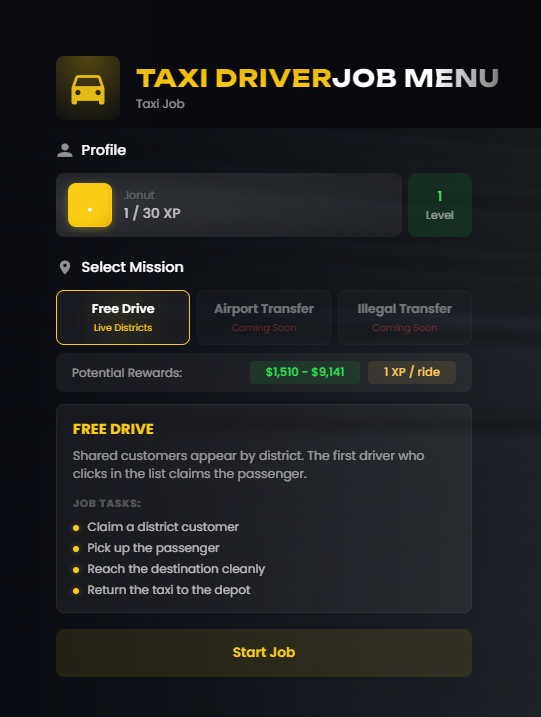
In-Service Interface
After clicking Start Job, you will no longer have access to the NPC menu. While on duty inside the taxi, you will use the special widget on the right side of the screen to manage orders.
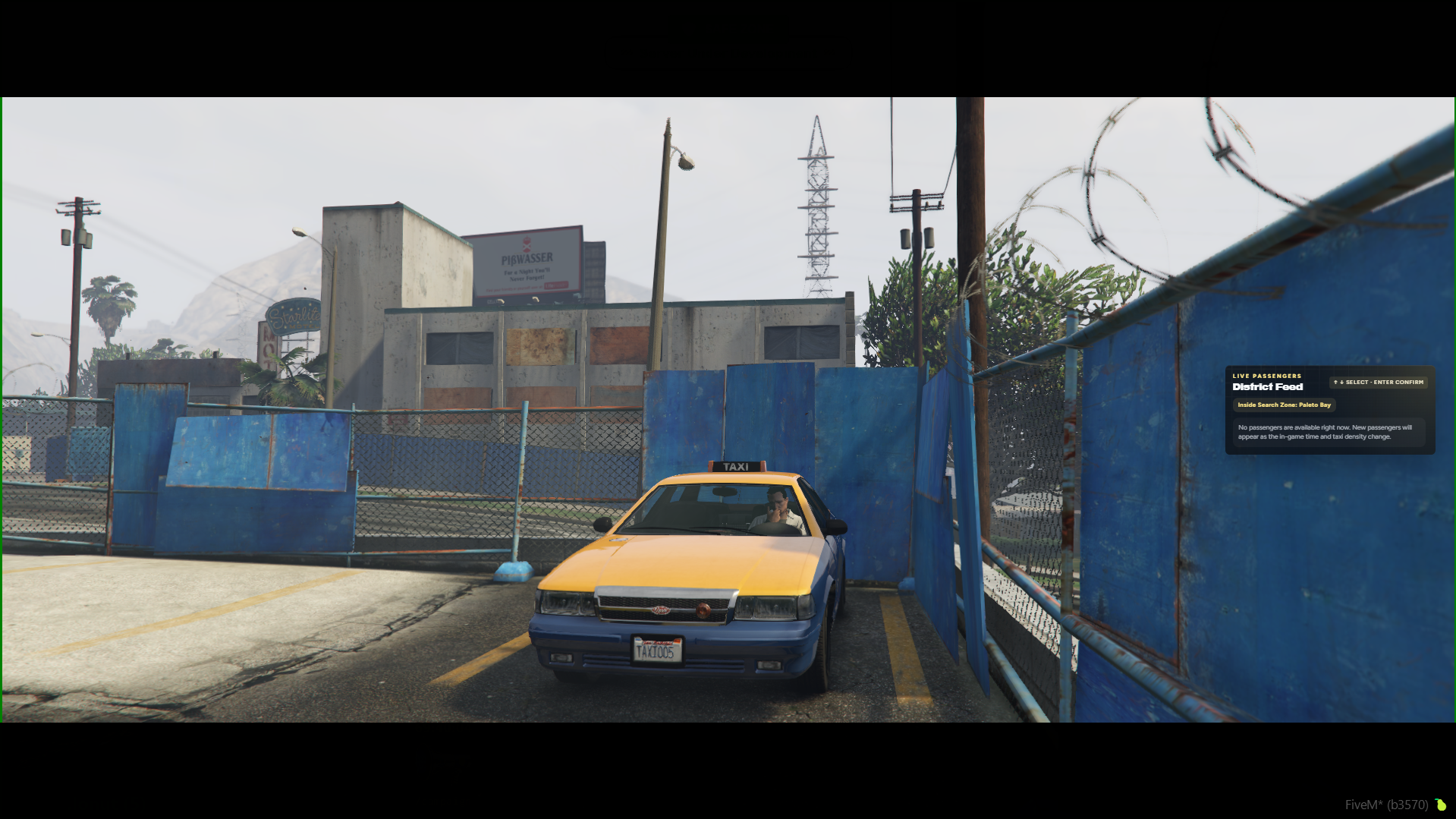
- Live Passengers Menu: Displays active districts in real-time (ex: District Food) and your current search zone (ex: Inside Search Zone: Paleto Bay).
- Viewing Customers: When passengers appear in the area, they will be listed in this menu. Use the arrows to navigate and the Enter key to confirm and accept the fare.
Core Job Tasks
To guarantee your payout and maintain efficiency, follow the mandatory work routine:
- Accept an active customer from the district order list displayed on your screen.
- Drive to the designated waypoint and pick up the passenger.
- Navigate the streets safely to reach the destination cleanly without severely damaging the taxi.
- Complete the shift by returning the taxi to the depot in good condition.
How to Call a Taxi (For clients)
If you do not own a personal vehicle or find yourself stranded on the map, you can order a taxi at any time directly from your smartphone:
- Open the Phone: Press the P key to pull out your phone.
- Access the App: Find and open the Taxi application (yellow vehicle icon).
- Select Destination: Click the Pick Destination button and choose the exact zone or location you want to reach from the list.
- Fare Verification: The system will display the exact distance to the destination and the fixed fare price (ex: Little Bighorn Ave - 0.2 km | $500).
- Submitting the Order: If you agree with the pricing, click the yellow Request & Pay [Amount] button to pay upfront and launch your request.
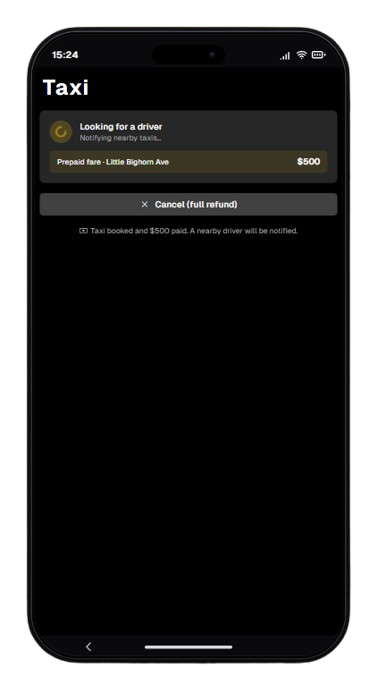
Order Status & Boarding
- Searching for a Driver: After sending the request, the application status changes to Looking for a driver, automatically notifying nearby cab drivers. Canceling at this stage via the Cancel (full refund) button returns your money entirely.
- Taxi Arrival: Once the vehicle arrives at your location, the application status changes to Your taxi has arrived.
- Boarding the Vehicle: To enter the taxi, you must open the Taxi app on your phone and click the yellow Get In button. Your character will automatically get into the passenger seat.
- Late Cancellation: If you cancel the ride using the Cancel button after the driver has already arrived, you will only receive a half refund.