Shops (Magazine)
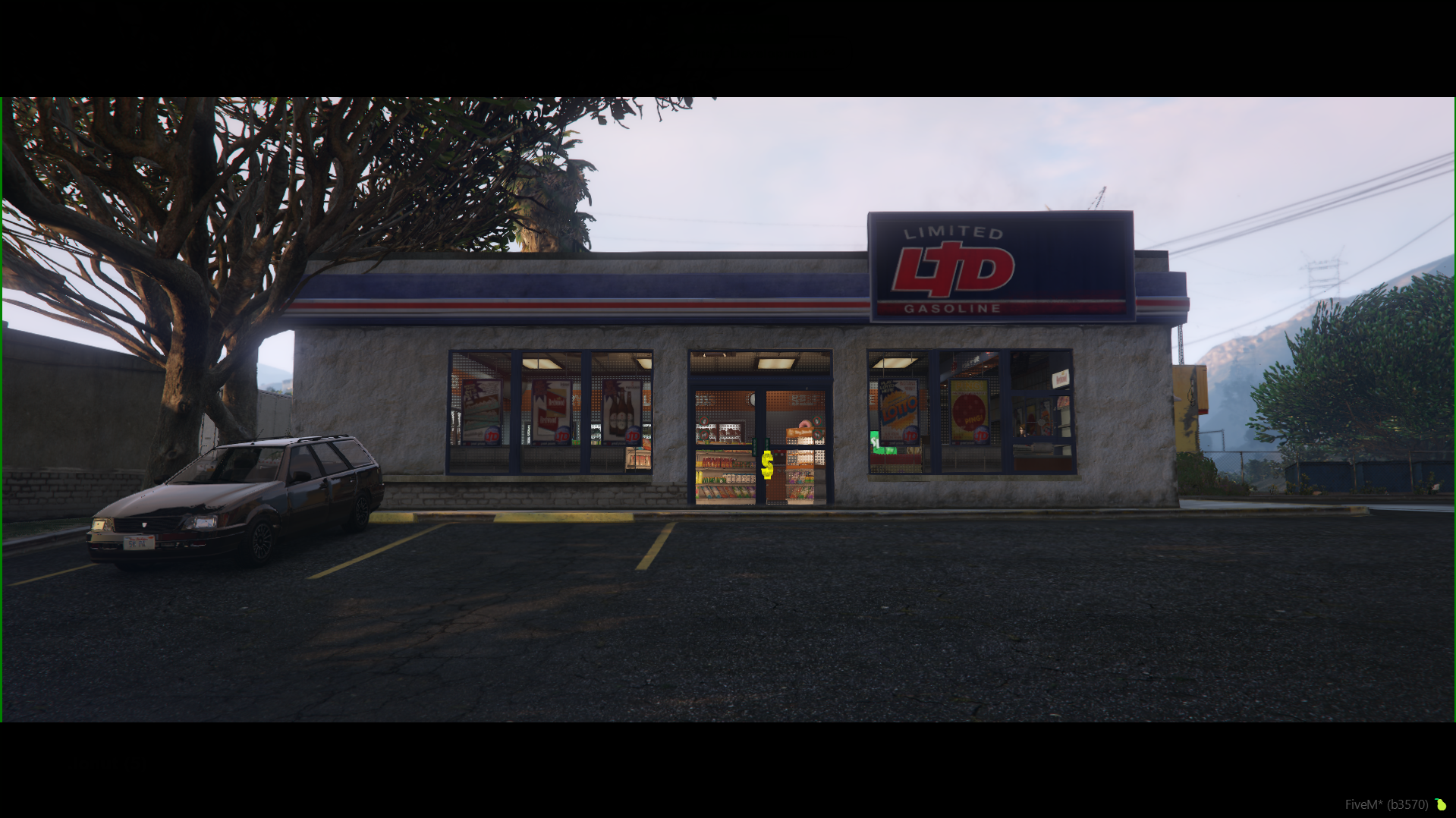
- 24/7 Markets and gas station stores are scattered across key locations all over the map (image #1), easily recognizable by their dedicated map icons.
Interacting with the Store
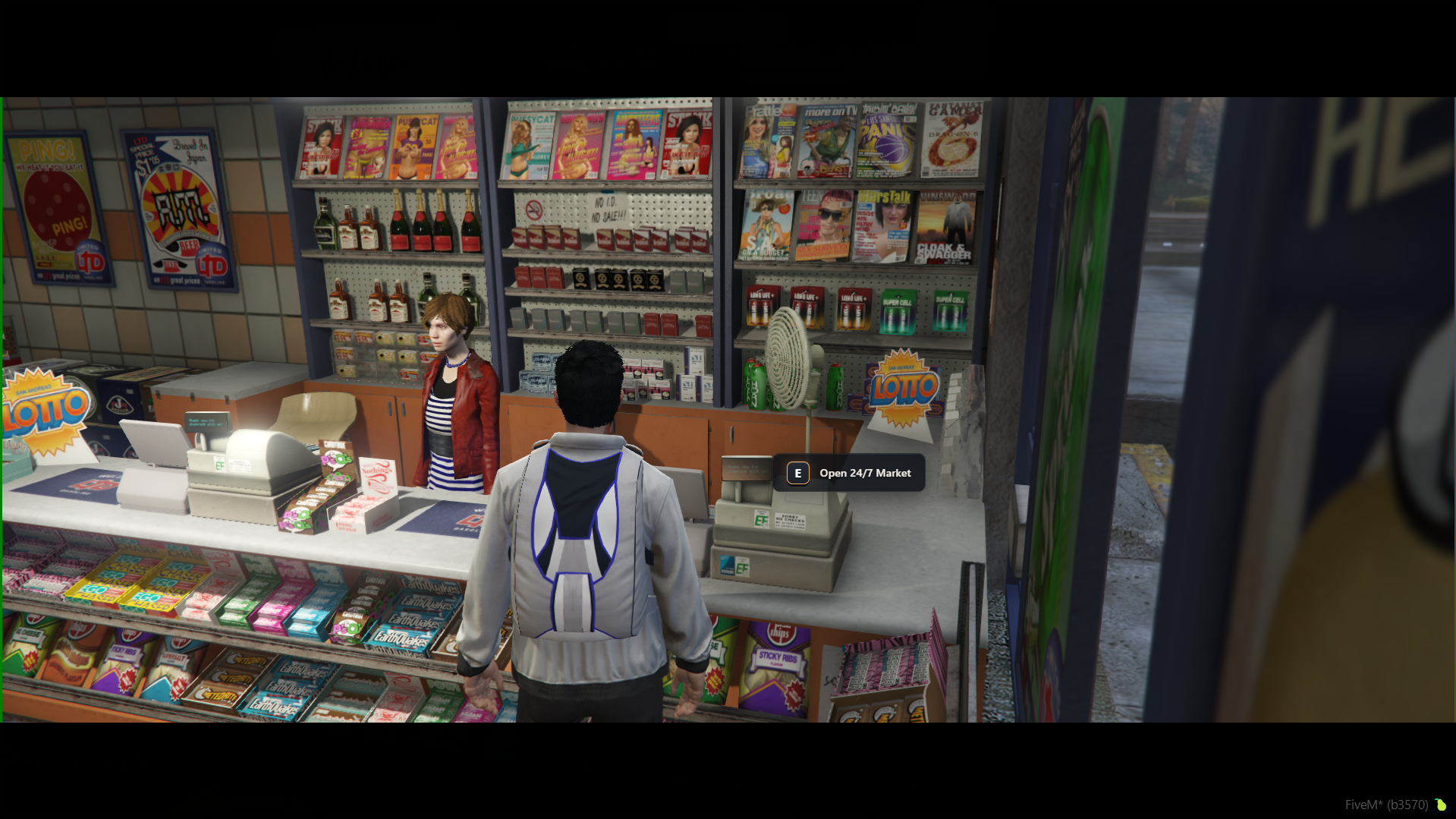
To purchase items from a store location, step inside and follow these steps (image #2):
- Approach the counter in front of the register where the clerk NPC is stationed.
- Press E when the visual prompt appears to open the menu (Open 24/7 Market).
Interface Overview
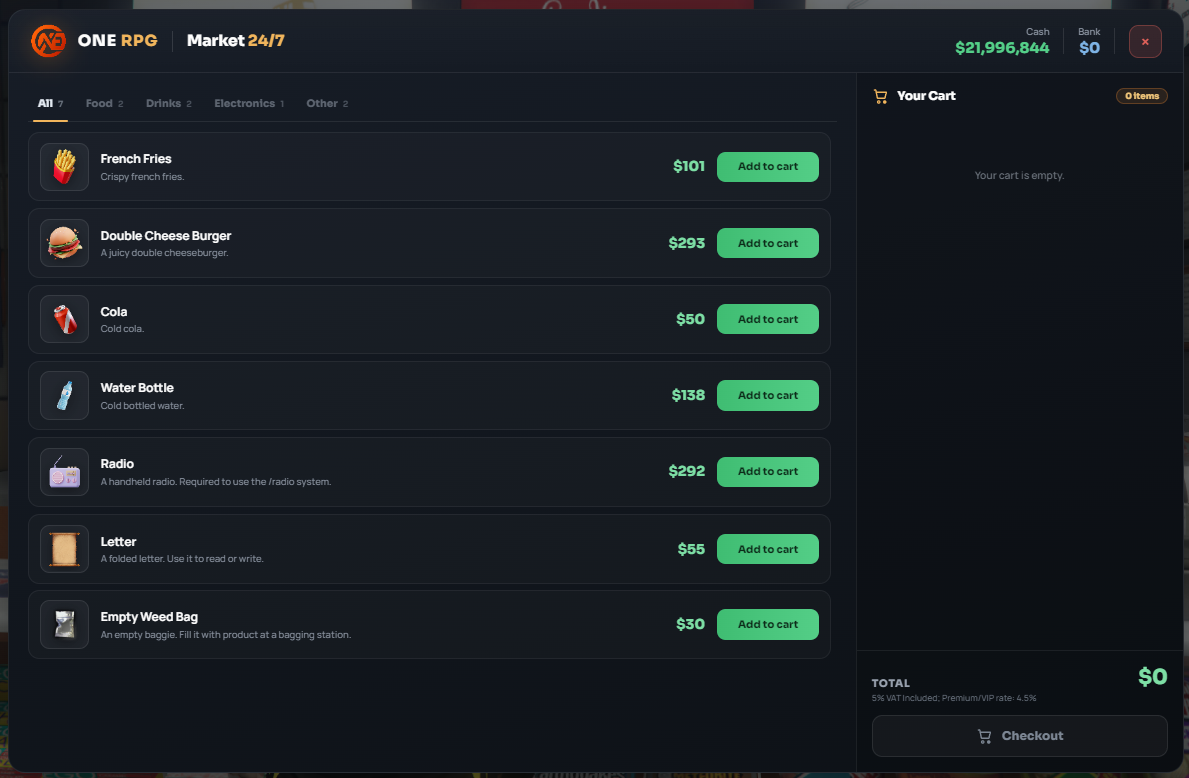
Once the Market 24/7 interface opens (image #3), you have access to the following features:
- Category Filters (Top Left): Easily switch between tabs: All, Food, Drinks, Electronics, and Other.
- Add to Cart: Click the green
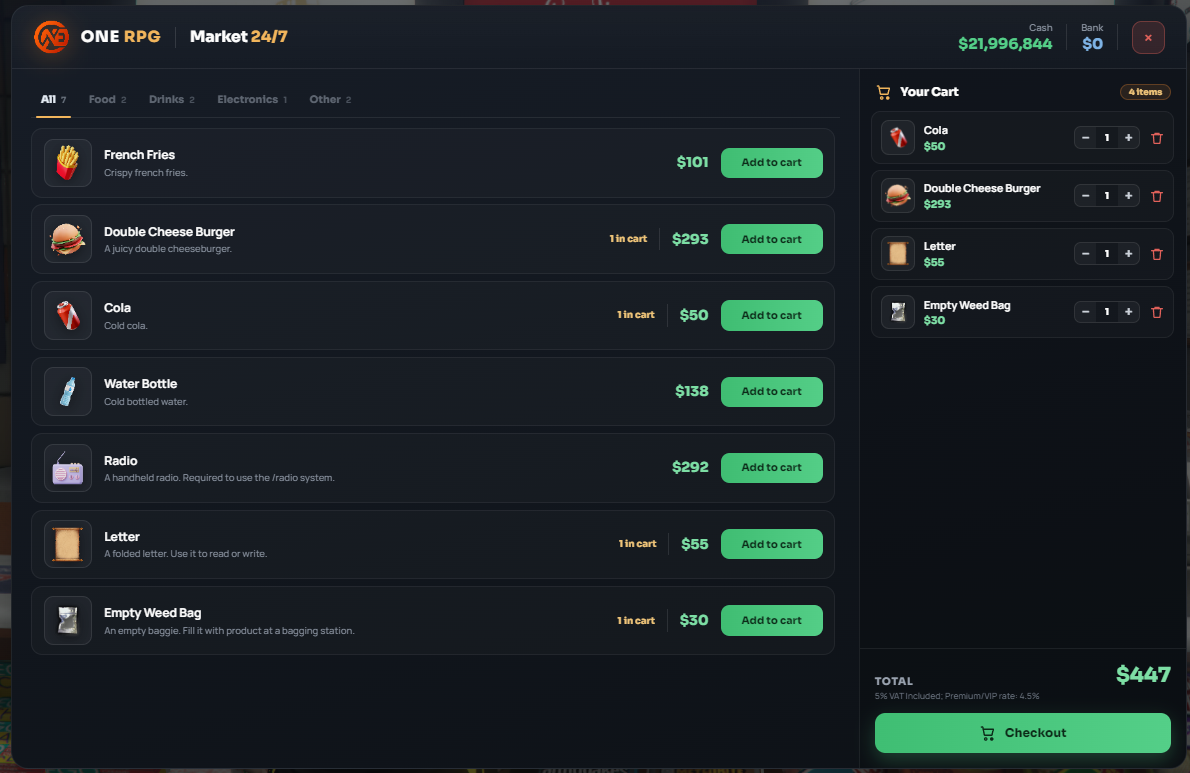
Add to cartbutton next to any product. A1 in carttag (or current quantity) will appear next to the price. - Your Cart (Right Panel): Selected products are collected on the right panel. You can adjust quantities (
-and+) or remove items entirely using the trash bin icon. - Total & Taxes: The total cost is displayed at the bottom right. All purchases include a standard 4% VAT tax (reduced to 3.6% for Premium/VIP accounts).
Checkout & Payment
After adding your desired items to the cart (image #4), click the green Checkout button to open the payment confirmation window.
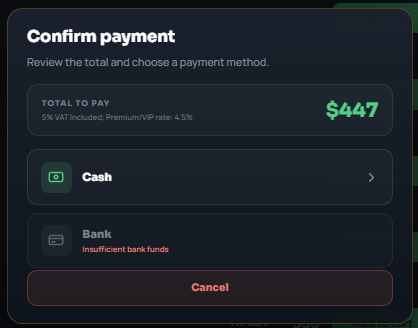
In the Confirm payment window (image #5), select your preferred payment method:
- Cash: Pay using physical cash from your wallet.
- Bank: Pay using your bank account (if funds are insufficient, the option displays an Insufficient bank funds message).
Catalog Structure
1. Food
Food items used to restore hunger:
- French Fries: $150 (Crispy french fries.)
- Double Cheese Burger: $284 (A juicy double cheeseburger.)
2. Drinks
Beverages ideal for restoring thirst:
- Cola: $50 (Cold cola.)
- Water Bottle: $139 (Cold bottled water.)
3. Electronics
Electronic devices useful on the server:
- Radio: $315 (A handheld radio. Required to use the /radio system.)
4. Other
Miscellaneous items and consumables for daily activities or illegal operations:
- Letter: $52 (A folded letter. Use it to read or write.)
- Empty Weed Bag: $31 (An empty baggie. Fill it with product at a bagging station.)
- Empty Meth Bag: $34 (An empty zip bag. Fill it at a meth lab packing table.)