Vehicle Insurance
The server's insurance system protects your personal vehicles in the event that they are completely destroyed. Each purchased insurance charge covers a single vehicle destruction event.
Purchasing and Renewing Insurance
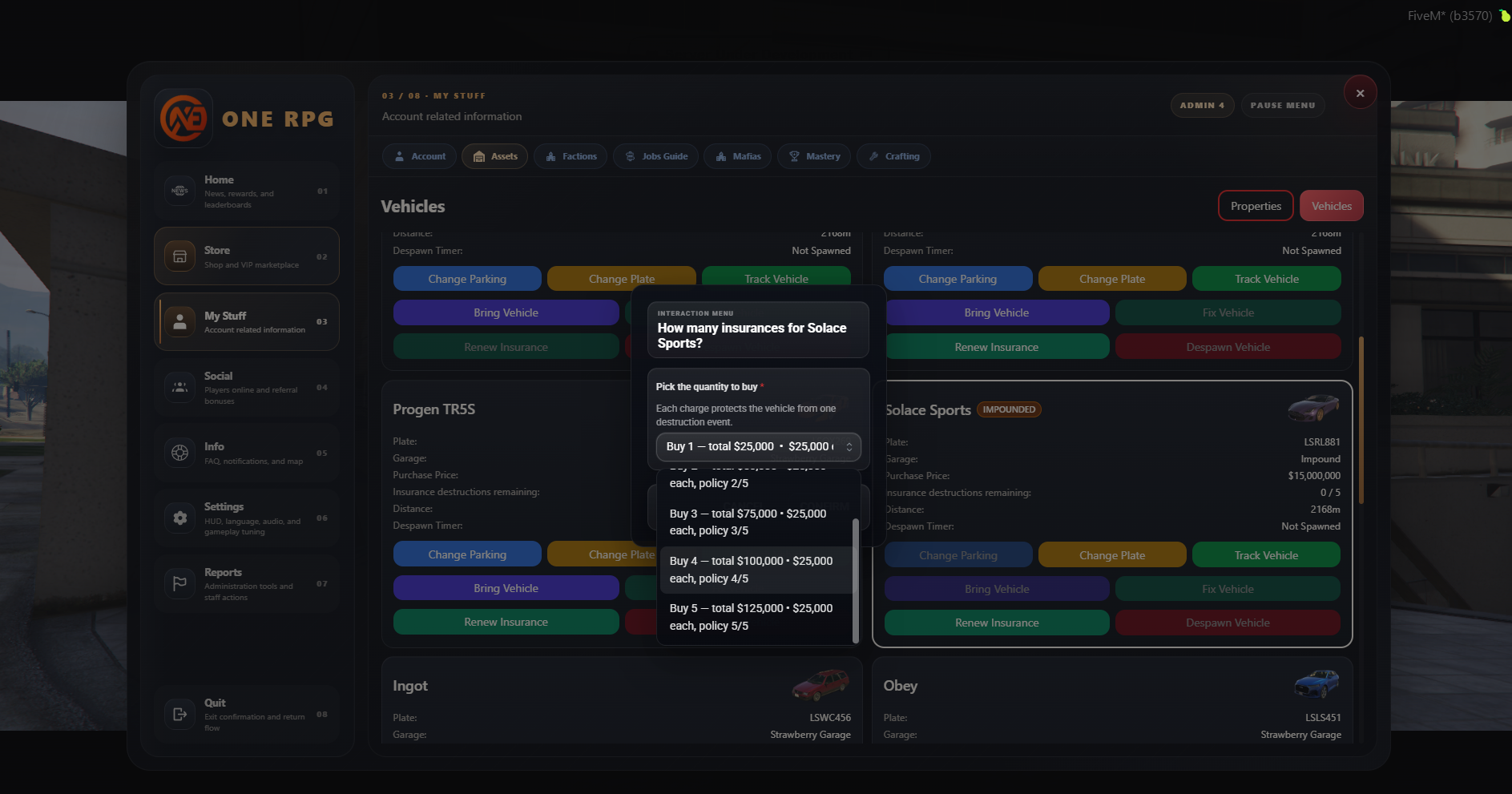
To add or renew a vehicle's insurance, follow these simple steps:
- Type the
/statscommand in the game chat to open your main account dashboard. - Navigate to the Assets tab located at the top of the screen.
- Select the desired vehicle from the displayed list and click the green Renew Insurance button.
- An interaction window (modal) will open, allowing you to select the exact number of insurance policies you wish to purchase (image #2).
Cost Structure by Vehicle Tiers
The cost of a single insurance policy is calculated dynamically based on the performance class (tier) of the respective vehicle:
| Vehicle Class (Tier) | Cost per Policy (Charge) |
|---|---|
| Tier 1, 2, and 3 | $5,000 |
| Tier 4 | $10,000 |
| Tier 5 | $20,000 |
| Tier 6 | $25,000 |
Important Details
- Protection per Event: Each purchased insurance charge protects the vehicle from exactly one destruction event (Each charge protects the vehicle from one destruction event).
- Maximum Storable Limit: You can hold a maximum of 5 active policies at the same time for each individual vehicle (displayed in the UI as policy X/5).