Bank
Features
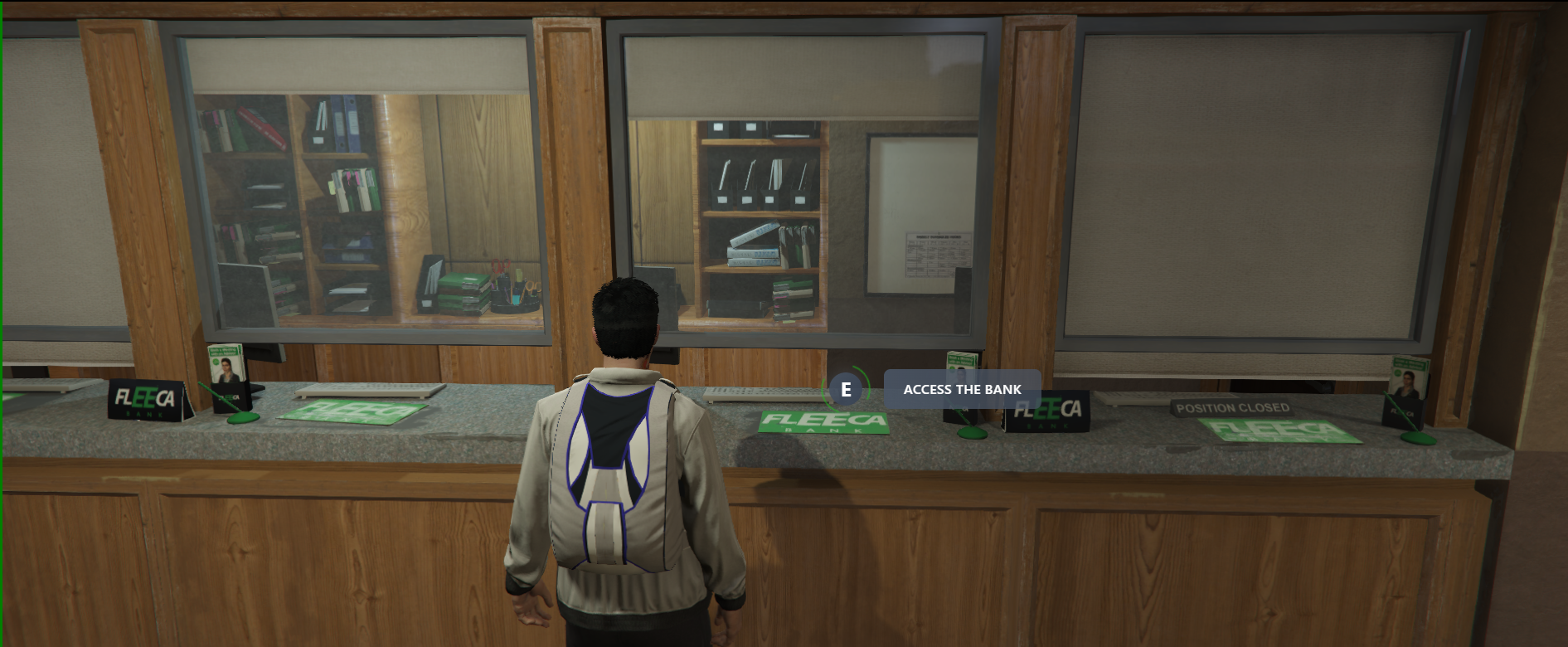
- To open the bank UI, you must press the E key (image #2).
- Banks help you deposit cash onto your card, withdraw money, and transfer funds.
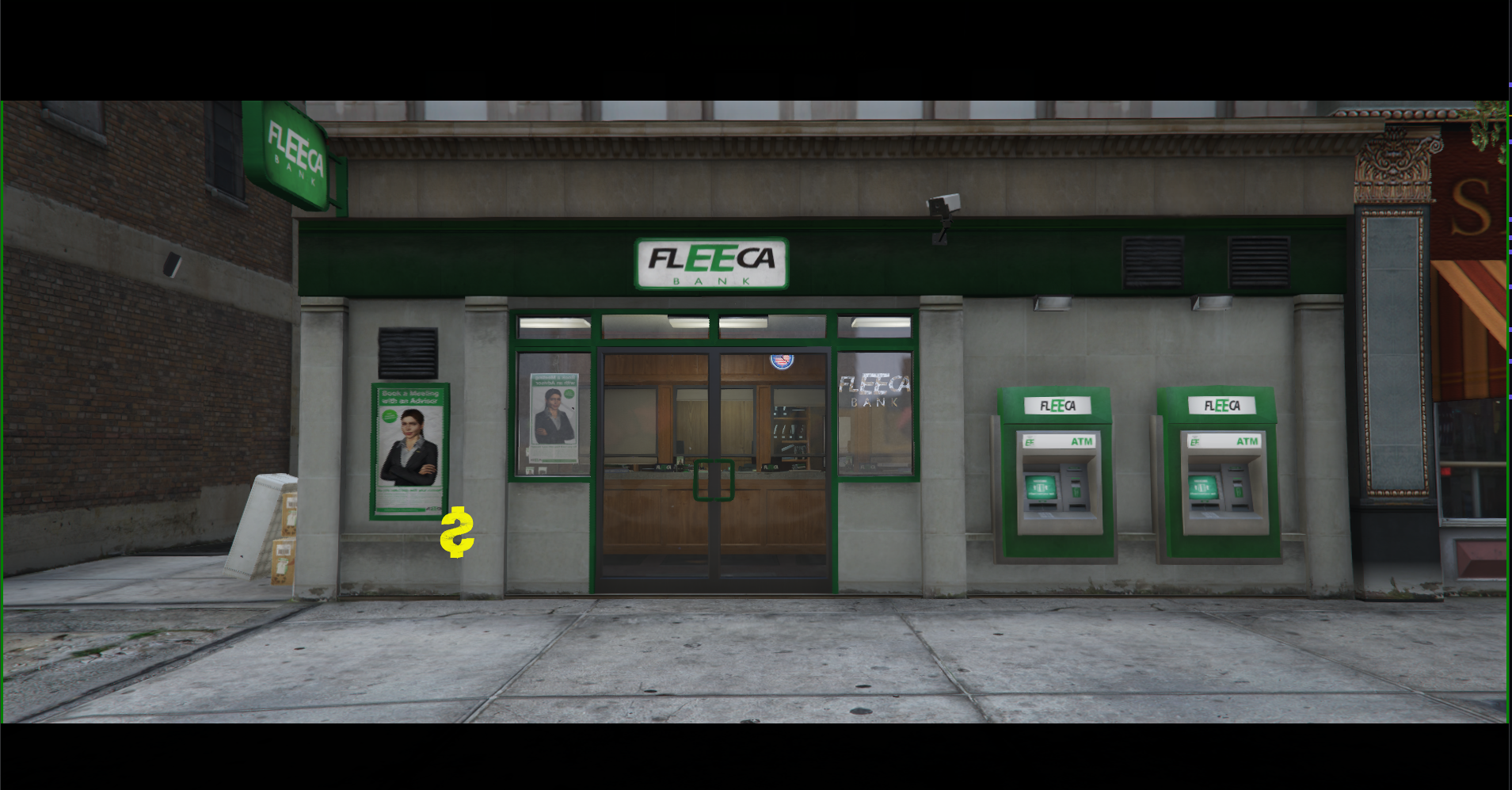
- Each bank is marked on the map with a icon.
- There is a total of 8 banks scattered across the map.
Deposit
Bank Interface
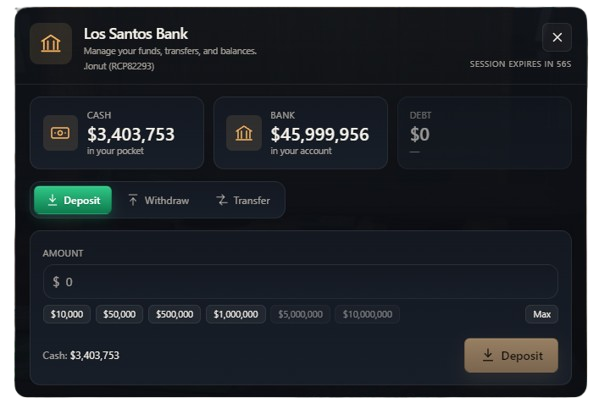
Once you open the bank menu (image #3), the interface will automatically open on the Deposit tab. From here, you can access the following features:
- Balance Overview: You can view your real-time cash on hand (Cash), bank account balance (Bank), and any outstanding debts (Debt).
- Deposit: Allows you to deposit your cash into your bank account. You can use the quick-amount buttons (e.g., $10,000, $50,000) or the Max button to deposit everything.
- Withdraw: Switches the section to withdraw cash from your current account.
- Transfer: Allows you to send money directly to another player's bank account.
Secure Session
The banking session is secured and will automatically expire after 60 seconds of inactivity for your account's safety.
Withdraw
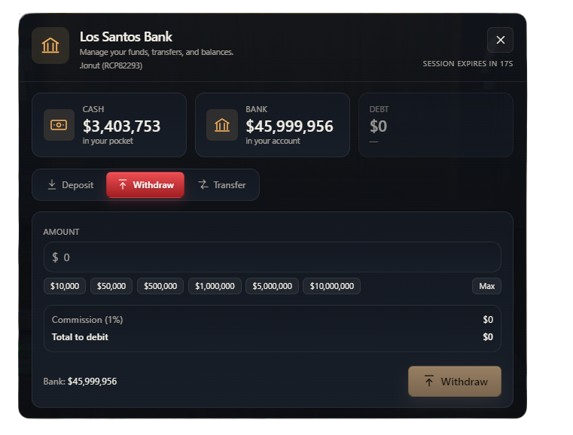
In this section (image #4), you can withdraw money from your bank account to convert it into cash in your pocket:
- Amount: Manually enter the desired amount or quickly select from the predefined values below.
- Commission: Every withdrawal incurs a 1% fee of the total amount. This will be displayed under
Commission (1%). - Total to debit: Here you can see the final amount that will be deducted from your bank account (requested amount + 1% fee).
Check Your Funds
Certain withdrawals may fail if you don't have enough money. Make sure your bank account has sufficient funds to cover both the amount you wish to withdraw and the 1% fee.
Transfer
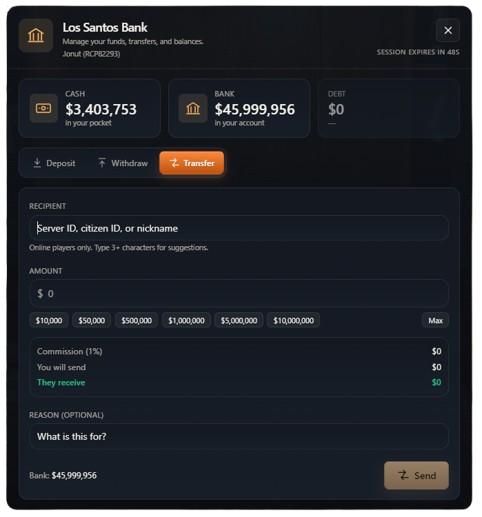
The transfer section (image #5) allows you to send money directly to another player who is currently online on the server:
- Recipient: You can easily look up a player by entering their Server ID, Citizen ID, or Nickname. The system will provide suggestions after typing at least 3 characters.
- Amount: Choose how much money you want to send. Just like with withdrawals, a 1% fee is applied to the transaction.
- Reason (Optional): You can add a short note to let the recipient know what the money is for (ex: "car payment", "loan").
- Confirmation: Press the Send button in the bottom right corner to complete the transfer.
Verify the Recipient
Always carefully double-check the name or ID suggested by the system before pressing Send to ensure you are transferring the money to the correct person.