Cable News Network (CNN)

Placing an Advertisement (CNN)
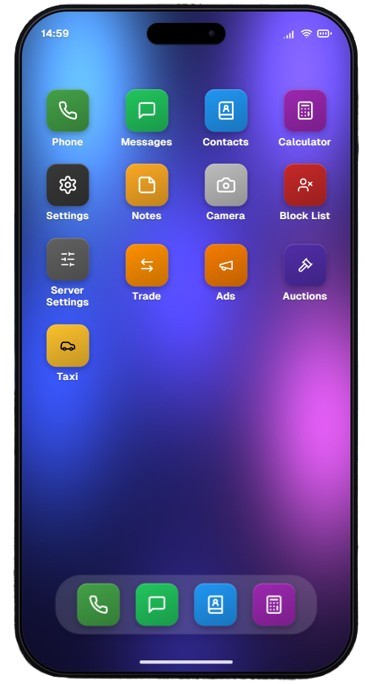
- To place a commercial advertisement (CNN), you must first open your mobile phone.
- From the phone's main menu, look for and open the Ads application (the orange icon featuring a megaphone), as shown in (Image #2).
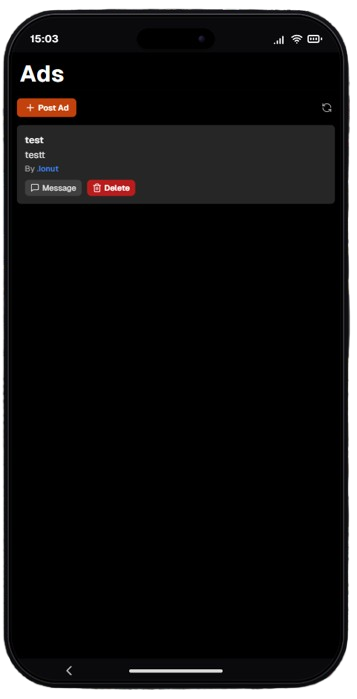
- Once inside the application, you will see a clean dashboard where your active advertisements will be listed (Image #3).
- To create a new advertisement, click on the orange + Post Ad button located in the top-left corner of the screen.
- In the top-right corner, there is also a Refresh button (circular arrows icon) to update the status of your ads in real-time.

- After clicking the add button, the advertisement creation form will pop up on your screen (Image #4).
- In the Title field, you must enter a representative title for your advertisement (between 4 and 20 characters).
- In the Content field, type the actual text and descriptive details of the advertisement you wish to publish (between 4 and 190 characters).
- Once both required fields are filled out, click the CONFIRM button to submit your advertisement for publication, or click CANCEL if you want to abort and go back to the previous menu.