Garage System
The Garage System allows players to safely store, manage, transfer, and locate their personal vehicles across various key locations on the map. Each garage functions as a public or private storage point, providing real-time detailed information about your vehicle's condition.
Finding and Accessing a Garage
Garages are located throughout the map and can be easily identified by their dedicated icon on the main map and minimap.

To interact with the system, you have two access points (checkpoints):
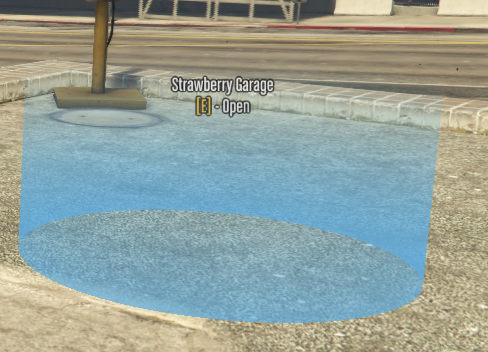
- Opening the menu / Spawning a vehicle: Walk to the pedestrian checkpoint near the garage (marked by a blue cylinder) and press [E] - Open to launch the management interface.
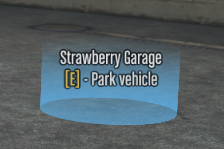
- Parking a vehicle: When driving your vehicle, stop inside the vehicle checkpoint and press [E] - Park vehicle to store the car in that garage.
Management Interface
When you open a garage menu (such as Vespucci Garage), the new interface displays all your owned vehicles, neatly categorized into filter tabs for quick navigation: All, Favorites, In this garage, In other garages, Impounded, and On street.
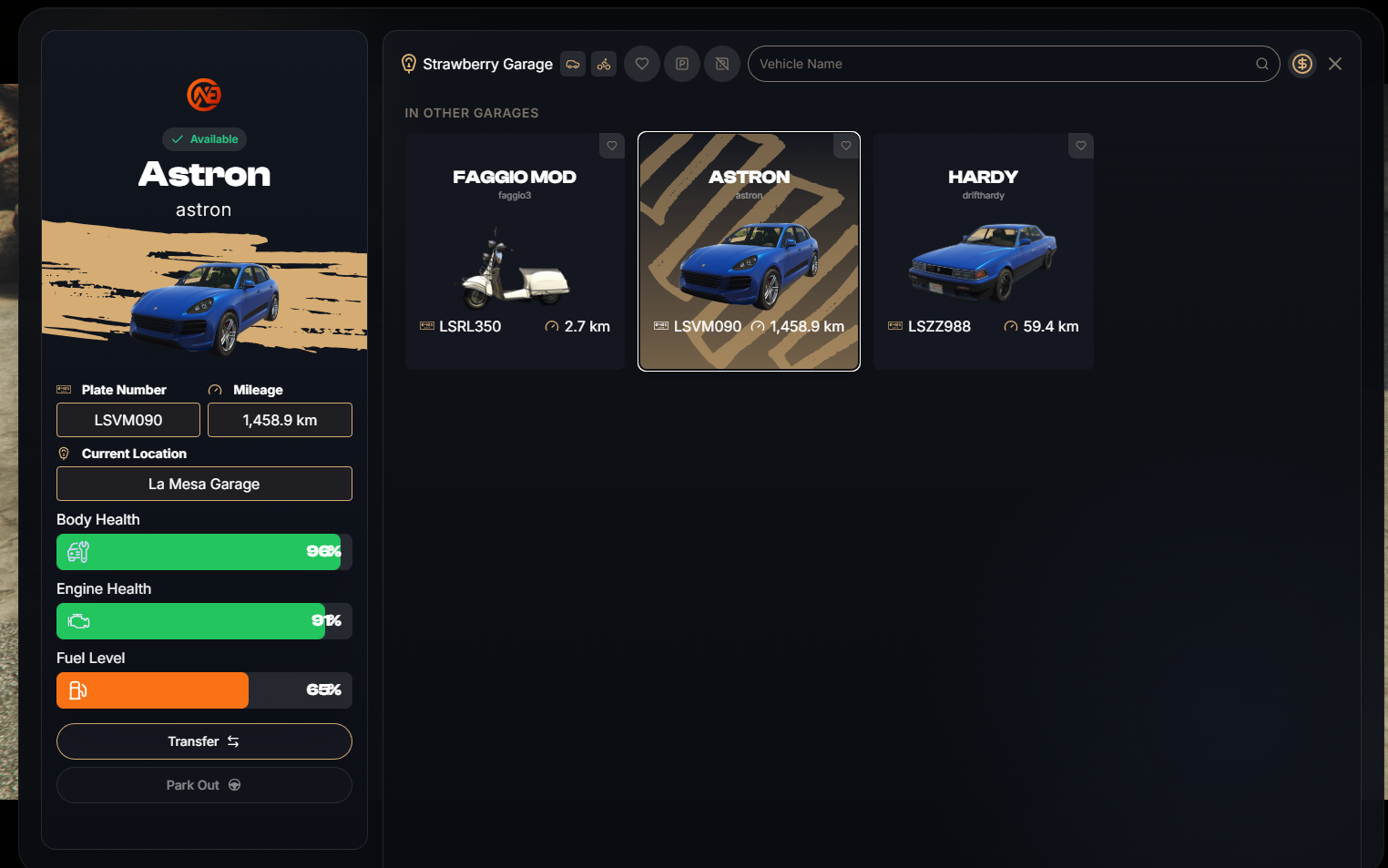
- Quick Search: Use the search bar at the top to instantly find any vehicle by model name or license plate number (Search by model or licence plate...).
Vehicle Details Panel
Selecting any vehicle from the list displays a comprehensive real-time technical sheet on the left panel:
- Status & Badge: Displays whether the vehicle is stored locally,
In another garage,Impounded, orOn street. - Basic Info: License plate number (
PLATE) and total mileage (MILEAGE). - Current / Last Location: Shows the exact physical location of the car (
CURRENT LOCATION / LAST LOCATION). - Component Health: Real-time percentage bars for
Body health,Engine health, andFuel level. - Quick Actions: Take out the vehicle (Park Out) or open the Transfer menu.
Impounded Vehicles
If your vehicle has been towed or impounded by authorities (ex Los Santos Vehicle Recovery), it will appear under the Impounded section.
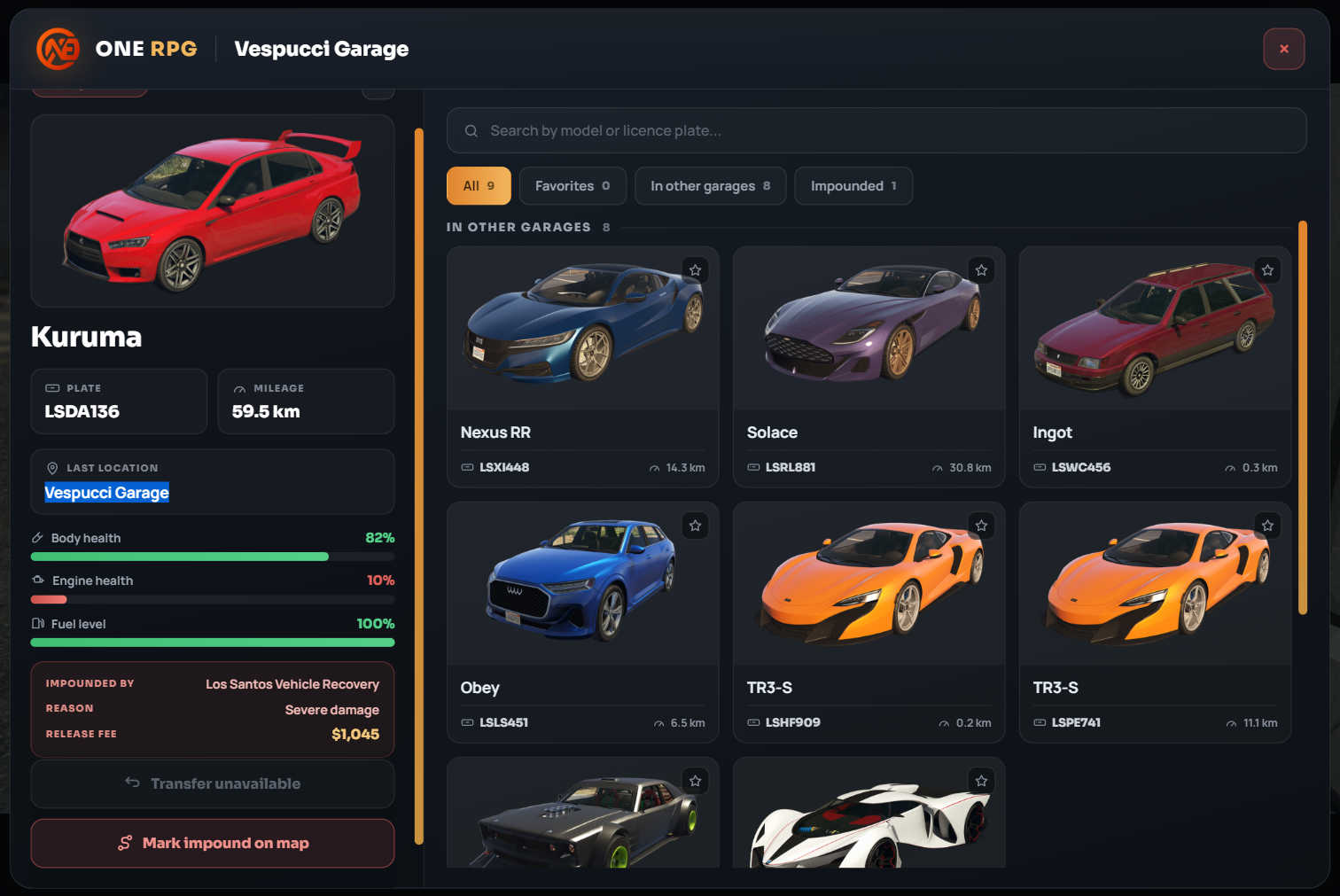
When selecting an impounded vehicle:
- Impound Details: The interface displays who impounded it (
IMPOUNDED BY), the reason (REASON, ex Severe damage), and the exact release fee required (RELEASE FEE, ex $1,045), allowing you to check the cost before paying. - Transfer Unavailable: Impounded vehicles cannot be transferred between garages (
Transfer unavailable). - Map Tracking: Click the Mark impound on map button to set a GPS waypoint directly to the impound lot where you can pay the fee and retrieve your vehicle.
Garage Transfer System
You don't need to travel across the entire map if you left a vehicle in a distant garage. The system allows you to remotely transfer any vehicle to your current location for a fixed fee.
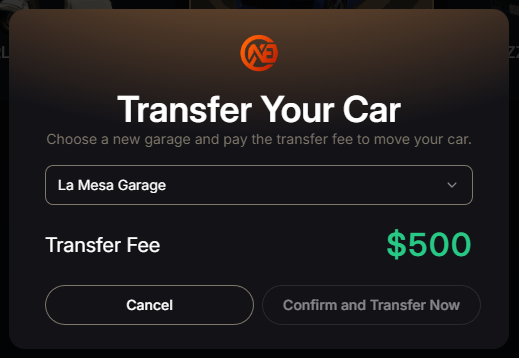
- How it works: Select the vehicle from the list, click Transfer, choose your destination garage from the drop-down menu, and click Confirm transfer.
- Transfer Fee: Moving a vehicle costs a flat fee of $500.
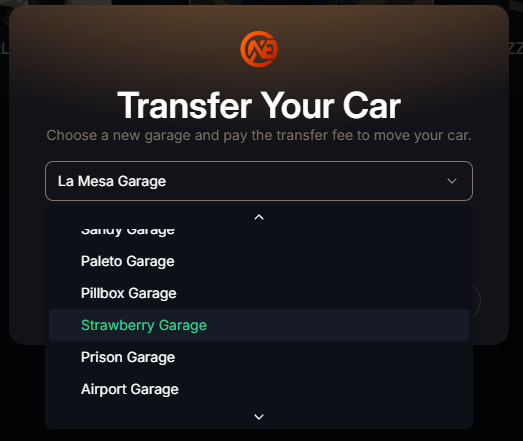
Green Highlight in List
In the drop-down selection menu, the garage highlighted with green text and labeled (you are here) represents your current physical location, making it effortless to send the vehicle straight to where you are standing.