Gun Shop
This guide covers the functionality of the Gun Shop, detailing how to browse the equipment catalog, modify weapons, and navigate the weapon skill requirement framework.
Location and Counter Interaction
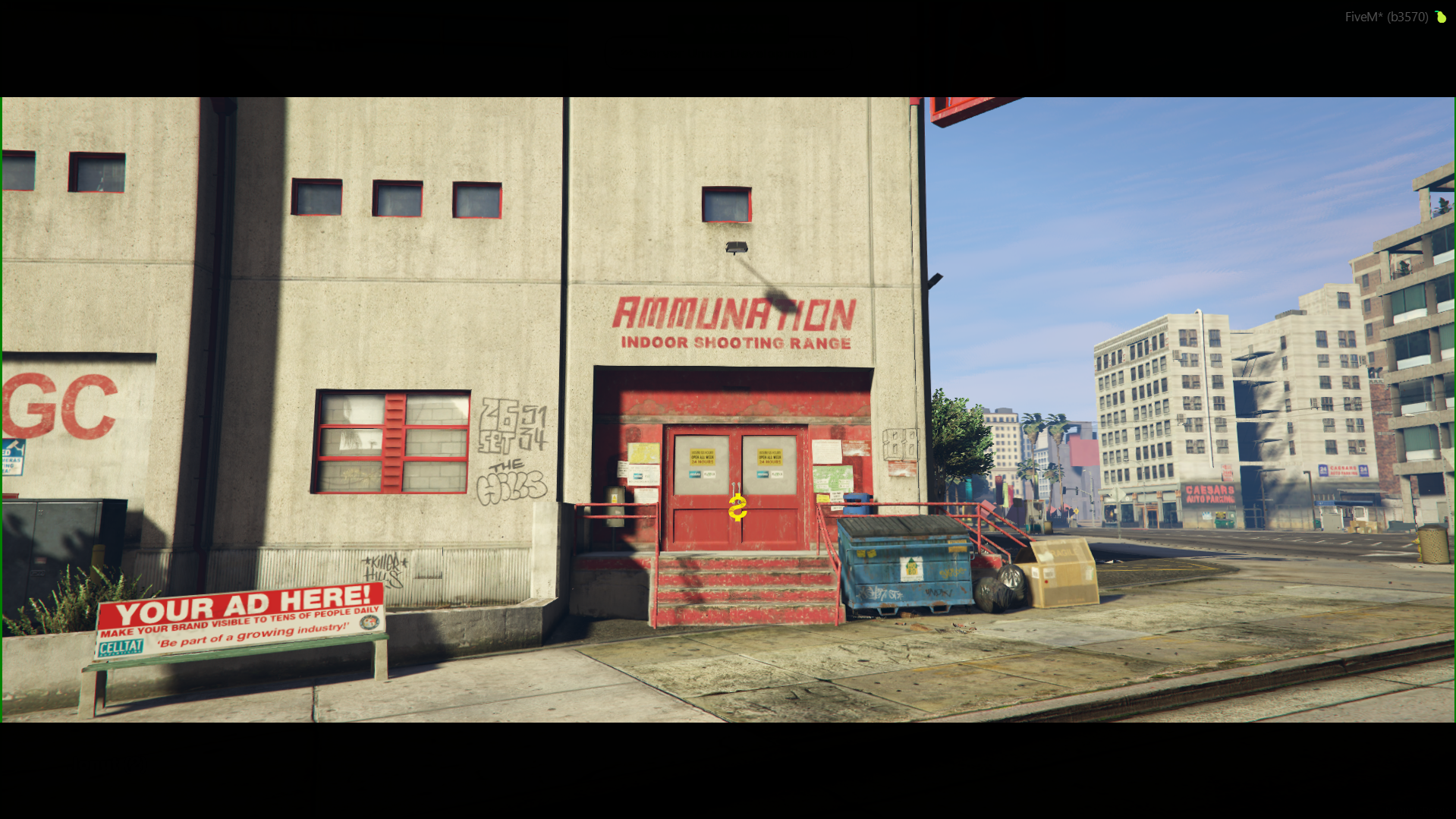
Features
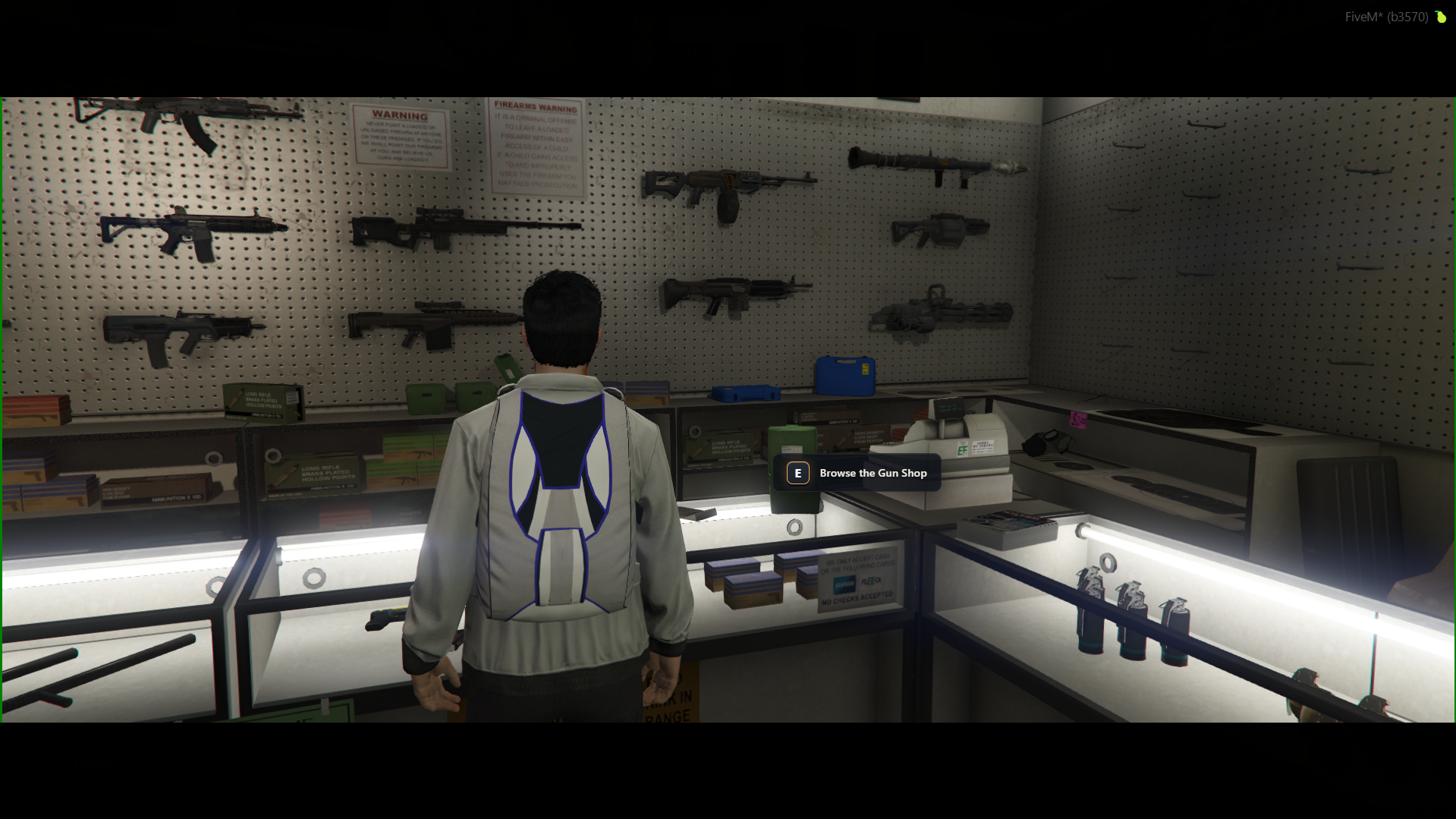
- To browse the catalog of firearms, ammunition, and protective gear, approach the main service counter inside the shop (image #2).
- Press the E key to interact with the merchant clerk (Browse the Gun Shop).
- Each Gun Shop is designated on the world map by a specific pistol blip icon: .
Interface and Equipment Purchasing
Once you press the interaction key at the counter, the main store dashboard screen will open up:
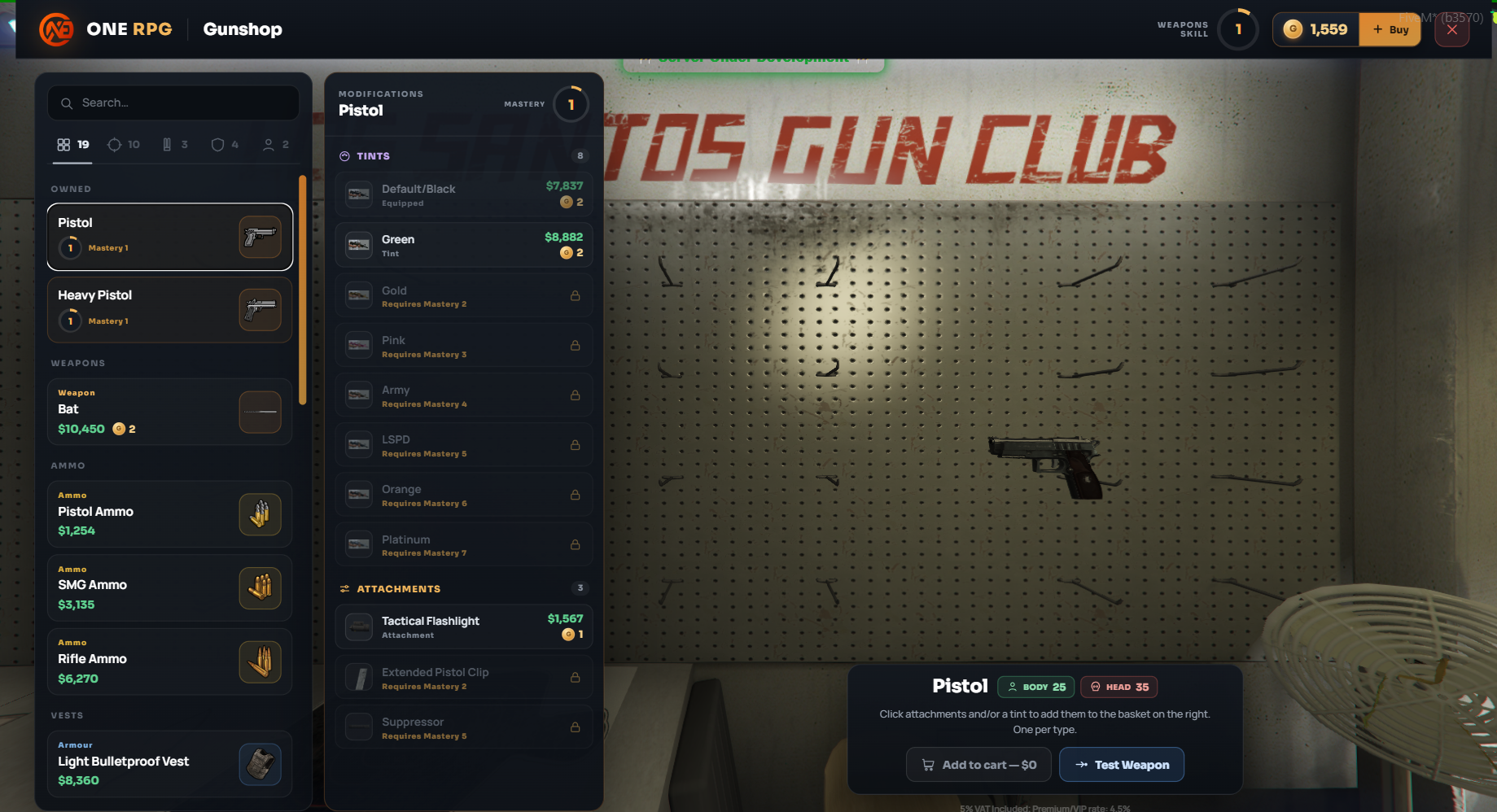
- Product Catalog (Left Menu Sidebar): Offers a categorized, scrollable list that includes live firearms and melee weapons (e.g., Pistol, Heavy Pistol, Bat), dedicated ammunition packs (e.g., Pistol Ammo, SMG Ammo), and tactical vests (e.g., Light Bulletproof Vest).
- Modifications Menu (Center Sidebar Panel): When you click and select a weapon from the catalog list (e.g., Pistol), a secondary modification deck slides open, divided into:
- TINTS: Unique paint jobs to customize your firearm weapon skin (e.g., Default/Black, Green). Many high-tier visual tints are locked behind weapon Mastery milestones (e.g., Gold requires Mastery 2, Pink requires Mastery 3).
- ATTACHMENTS: Tactical weapon component upgrades, such as a Tactical Flashlight, Extended Pistol Clip, or a Suppressor.
- 3D Preview and Statistics: A live 3D asset model of your selected firearm is rendered right in the background center of the screen. In the bottom-right corner widget, base damage statistics are displayed under the BODY and HEAD categories.
- Weapon Testing (Test Weapon): You can click the blue -> Test Weapon button located within the bottom statistics module to instantly try out the firearm configuration inside a private shooting range before finalizing your purchase.
- Store Taxation: Item listed prices are subject to a 1% VAT store tax, while Premium or VIP tier members benefit from a lowered preferential rate capped at 0.9%.
Weapons Skill System
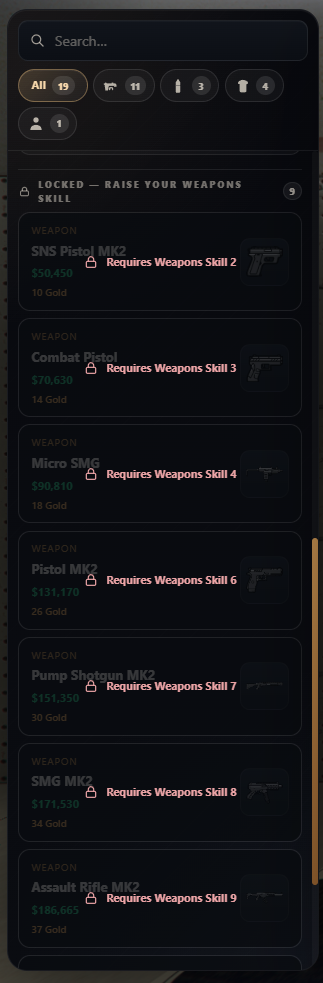
The catalog uses a progression gateway framework tied directly to your character's profile Weapons Skill level (image #4):
- Locked Category Items (LOCKED): Advanced weapons feature a padlock icon alongside an explicit orange/red criteria notice stating "Requires Weapons Skill X" (e.g., SNS Pistol MK2 requires Skill 2, Combat Pistol requires Skill 3, Micro SMG requires Skill 4, scaling up to the Assault Rifle MK2 which requires Skill 9).
- Unlocking Progression: You must increase your overall skill ranking tier (which is also visible in the top-right corner of the main header dashboard) by utilizing firearms and participating in target practices to buy these restricted weapons.
Firearm License Requirement
If a player profile does not possess a currently valid Weapon License item, they will be completely barred from purchasing or utilizing any live weapon system on the server.