Meth Laboratory (Methamphetamine Laboratory)
The Meth Laboratory is a major illegal production facility designed for criminal organizations. It allows Official Mafias to process chemical raw materials and produce methamphetamine doses (Meth Baggy and Pure Meth Baggy) to generate massive profits.
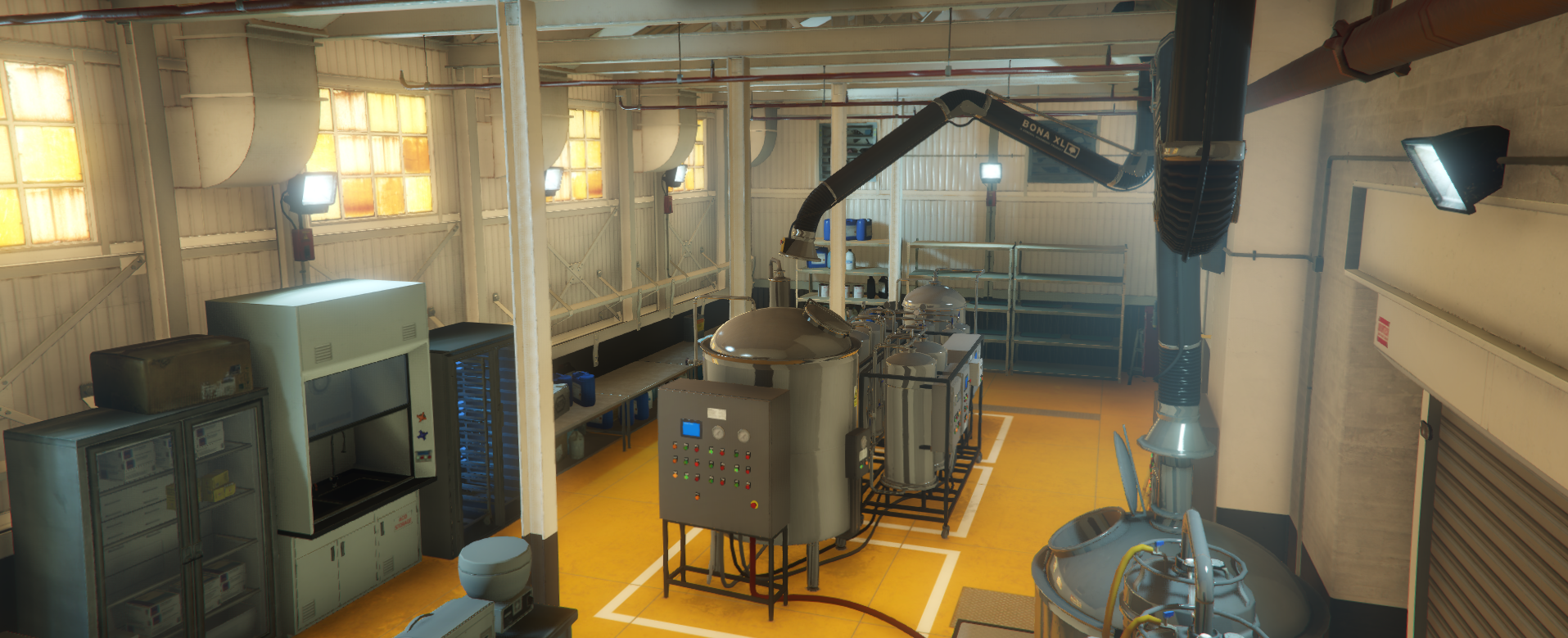
Access & Requirements
To operate the Meth Laboratory, your organization must meet the following conditions:
- Official Status: Functionality is reserved exclusively for Official Mafias.
- Territory Control: You must conquer and hold the active turf where the lab is located. Losing the territory blocks production and access.
- Map Location: The laboratory can easily be identified on the map and radar using a specific lab/beaker icon.

- Rank Permissions: Initiating economic processes and deliveries requires the appropriate permission set in
/mafia-> Ranks.
Production Cycle
The process in this laboratory is based on processing chemical substances up to the final packaged pure product stage:
1. Cooking & Preparation (Cook Station)
The first step consists of combining chemical substances to start the boiling and cooking process.
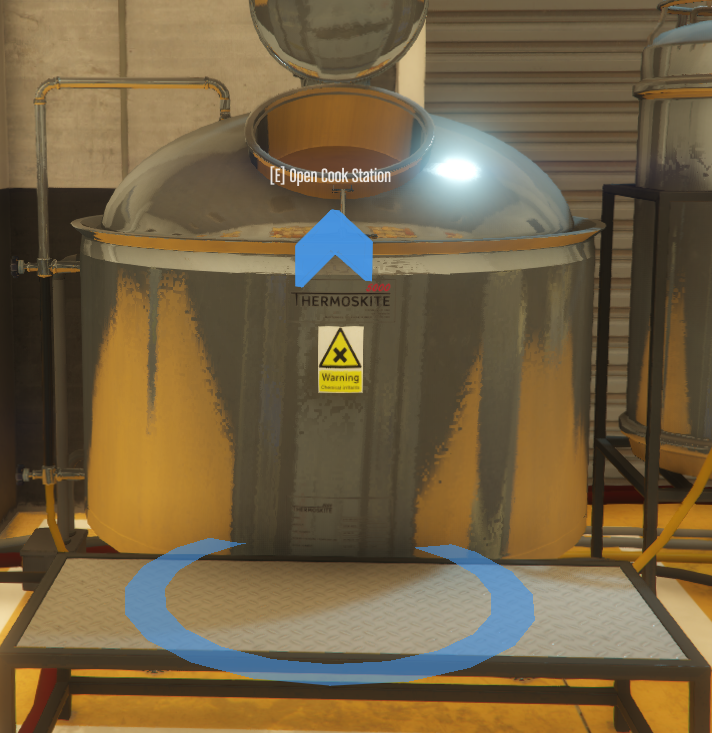
Go to the central tank/vessel in the lab, position yourself inside the blue circle, and press E (Open Cook Station).
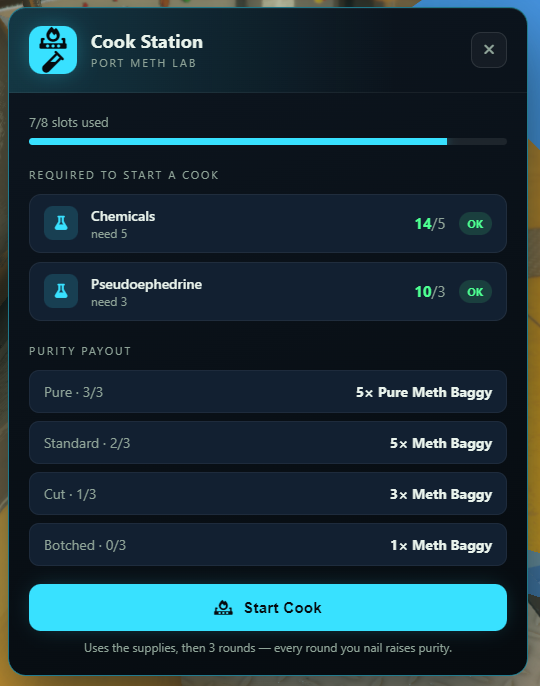
Upon activation, the Cook Station interface will open (ex PORT METH LAB). Here you can monitor used slots (ex 7/8 slots used) and the required ingredients stock.
Required Ingredients
To start a cook cycle (Start Cook), you need:
- Chemicals: You need 5 units (
need 5). - Pseudoephedrine: You need 3 units (
need 3).
Additionally, the interface shows possible rewards based on purity quality (Purity Payout):
- Pure · 3/3: 5× Pure Meth Baggy
- Standard · 2/3: 5× Meth Baggy
- Cut · 1/3: 3× Meth Baggy
- Botched · 0/3: 1× Meth Baggy
If you possess the required supplies (status OK), click the Start Cook button. The process consumes the supplies and consists of 3 rounds — each successful round raises the purity level.
At the beginning of each round, a minigame called Hold the temperature will open.
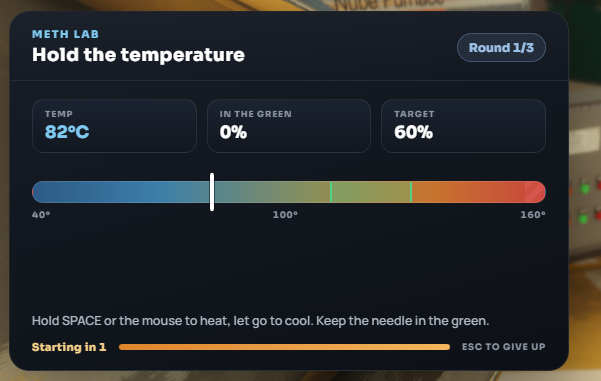
Game Rule: Hold SPACE (or the mouse button) to heat up, and release to cool down. Keep the needle inside the green zone (Keep the needle in the green) to reach the required target percentage (Target) in each round.
After completing all 3 rounds, the resulting trays will go through a cooling phase and become ready for packaging (Cooled trays ready).
2. Packaging & Dosing (Packing Table)
Once the product has cooled on the trays, the next step is converting it into baggies ready for sale.
Go to the packing table in the lab, position yourself inside the green circle, and press E (Open Packing Table).
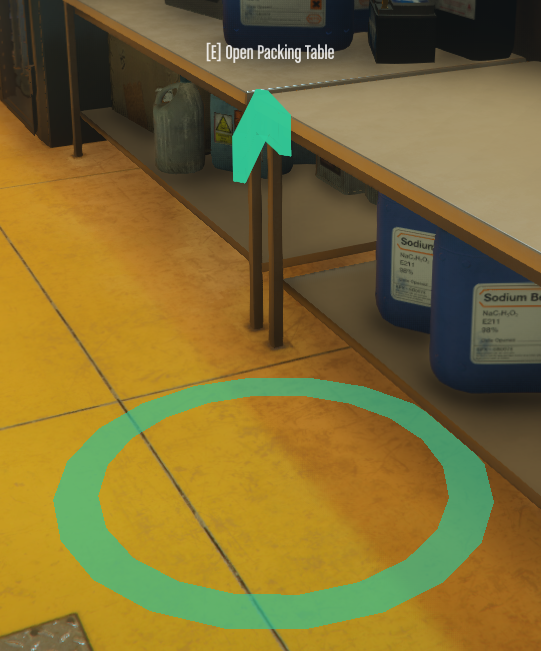
The Packing Table menu will open, where you can manage the packaging process.
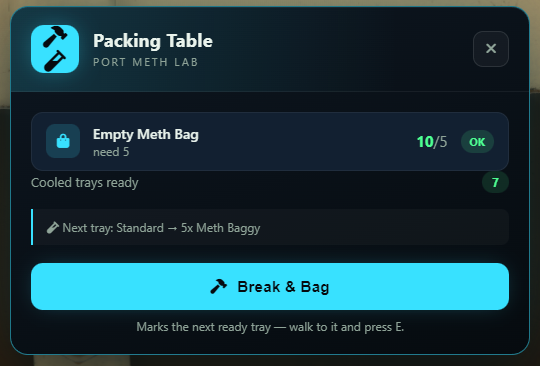
Material Requirements
To pack the product, you need Empty Meth Bag (5 units / need 5). These empty bags can be purchased directly from Shops (24/7 Stores).
Available options at this station:
- The interface shows how many cooled trays are available (ex Cooled trays ready: 7) and the output yield of the next tray (ex Next tray: Standard -> 5x Meth Baggy).
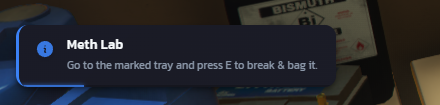
- Click the Break & Bag button. The system will prompt a notification on your screen: Go to the marked tray and press E to break & bag it.
Go to the indicated shelf where the blue marker appears above the tray and press E (Break & bag tray).
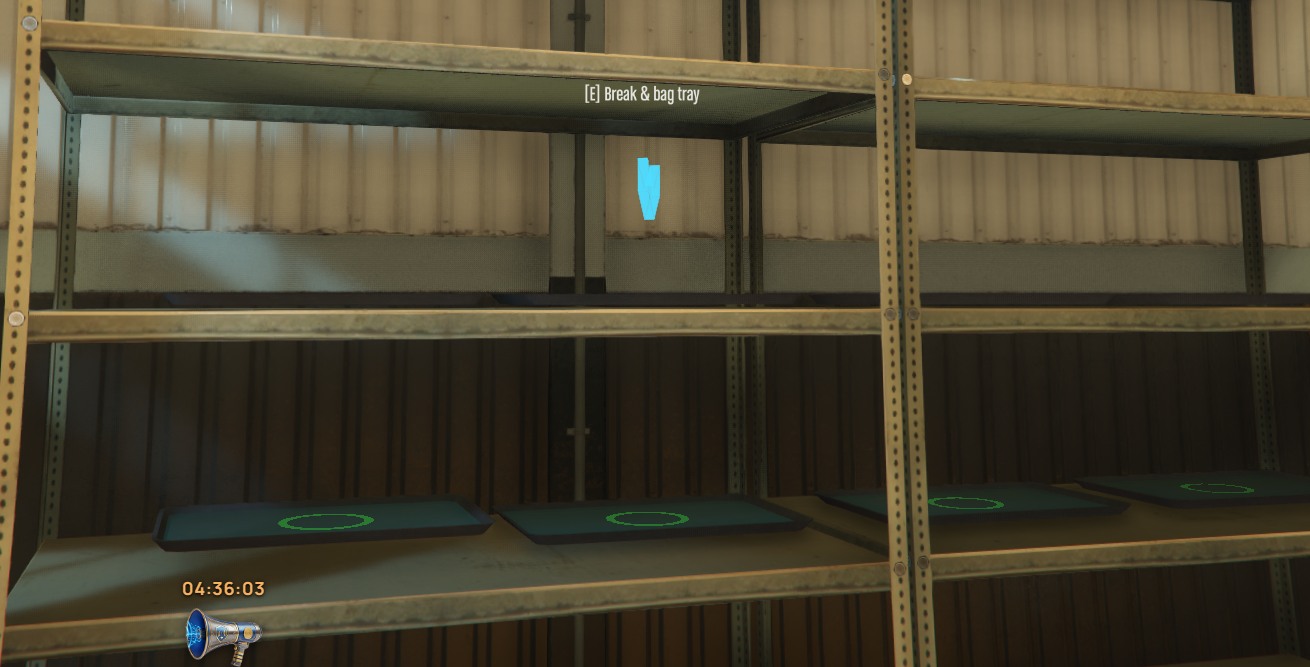
The system will start the break and dose sequence:
- Smashing (Smash): Click the tray or press SPACE 8 times (Smash 0/8).
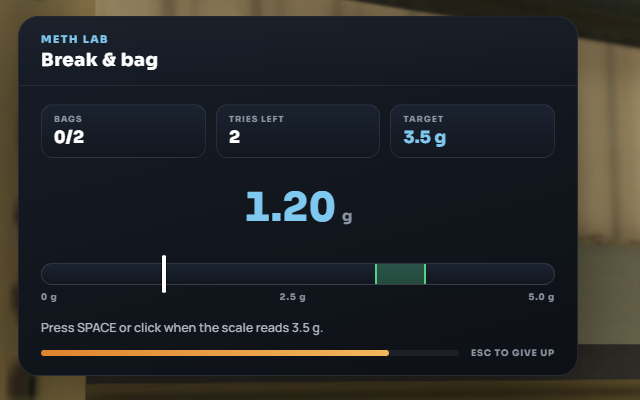
- Dosing on Scale (Break & bag - Scale): A scale minigame will open. Press SPACE or click when the needle hits the target weight value (ex Target 3.5 g) inside the green zone. You have a limited number of tries (ex Tries Left: 2) to fill the bags (Bags 0/2).
Distribution & Deliveries
Once the meth baggies are processed and packed, the product is stored directly in the laboratory stock (LAB STOCK). Stock management and sales are conducted via the laptop in the lab's office (Stock & Sales).
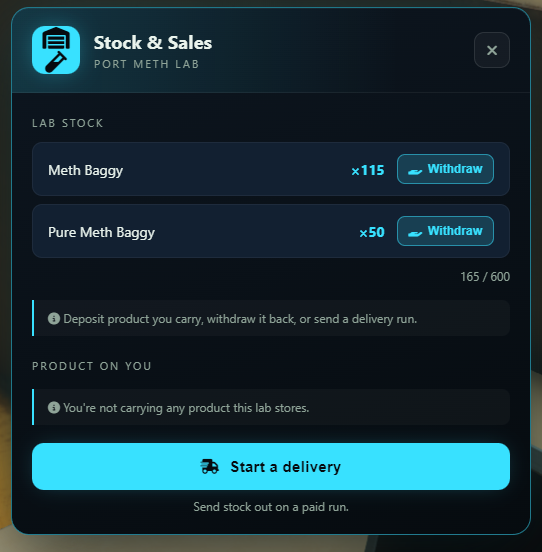
In the Stock & Sales menu you can: - View current stock (ex Meth Baggy ×115, Pure Meth Baggy ×50, max capacity 600 units). - Withdraw product into your personal inventory using the Withdraw button. - Deposit product you are currently carrying. - Initiate a delivery run by clicking the blue Start a delivery button.
Sales Configuration Steps
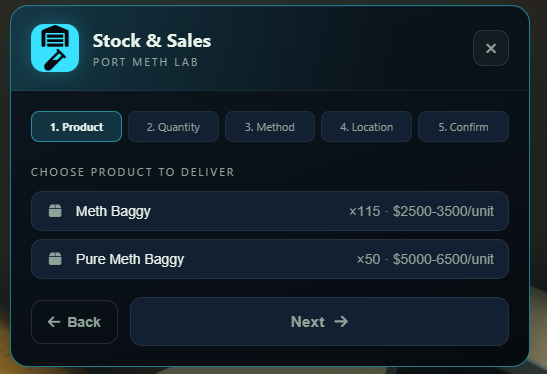
1. Product
Select the type of product you want to deliver. The interface displays current stock and estimated value per unit: - Meth Baggy: estimated value of $2,500 - $3,500 / unit. - Pure Meth Baggy: estimated value of $5,000 - $6,500 / unit.
Click on the desired product and press Next.
2. Quantity
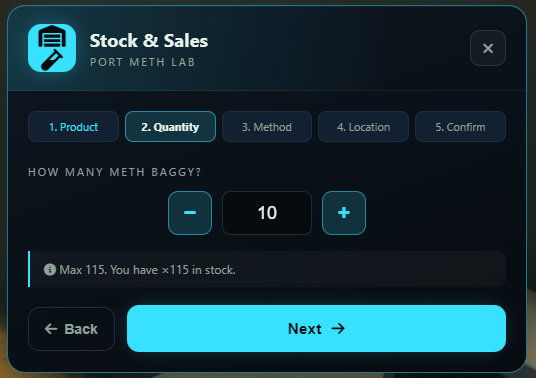
Use the - and + buttons to set the number of units to load for transport (ex 10 units). The system shows the maximum limit available in stock. Press Next.
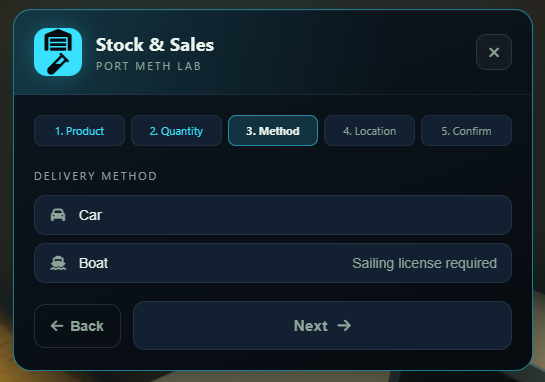
3. Method
Select the method of transport: - Car: Standard land transport. - Boat: Maritime transport. Requires a sailing license (Sailing license required).
4. Location
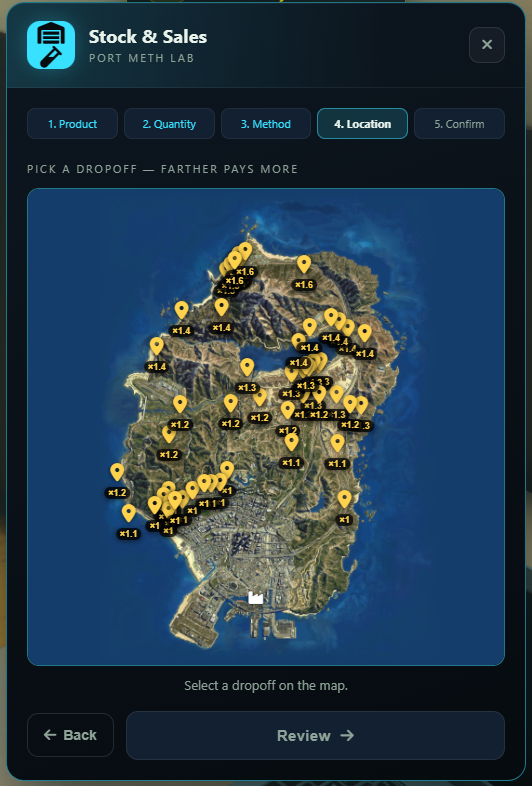
Choose a drop-off location from the interactive map. The core rule is PICK A DROPOFF - FARTHER PAYS MORE. Multipliers range from ×1.0 up to ×1.6 in Northern areas. Press Review.
5. Confirm (Summary & Risk)
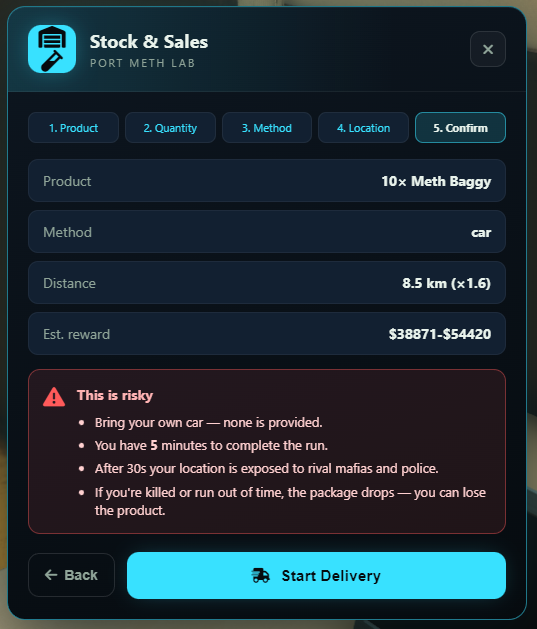
Review the run summary (ex 10x Meth Baggy via car, 8.5 km distance with a ×1.6 multiplier) and total estimated reward ($38,871 - $54,420).
Strict Risk Rules (This is risky)
- No vehicle provided: You must bring your own vehicle/boat; none is provided.
- Time Limit: You have exactly 5 minutes to complete the run.
- Exposed Location: After the first 30 seconds, your GPS location is publicly exposed to rival mafias and police.
- Losing Product: If you are killed or run out of time, the package drops on the ground — you can lose the product entirely.
Click the Start Delivery button to start the run.
Completing the Delivery
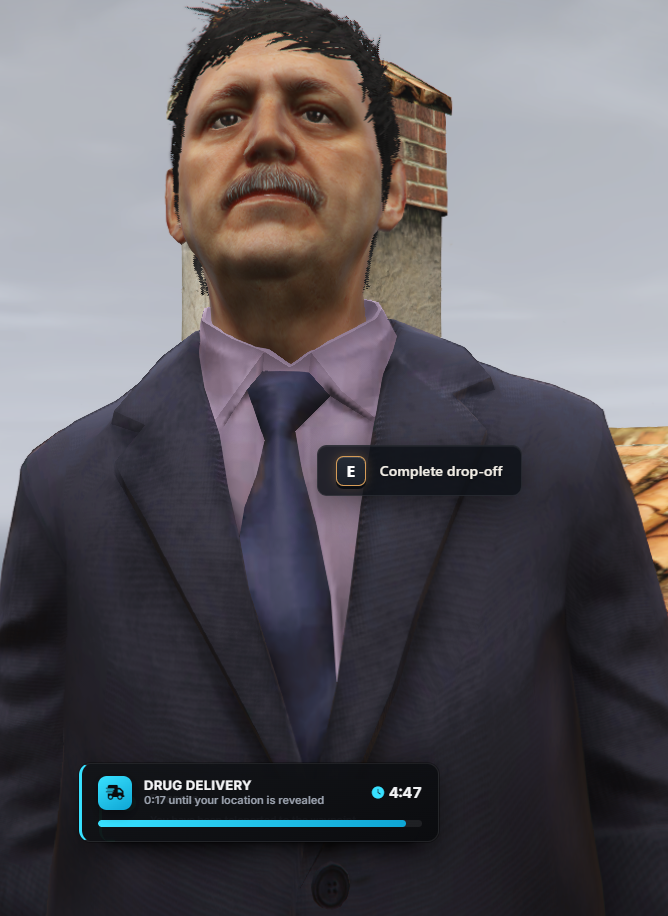
During transport, a DRUG DELIVERY box in the corner of your screen displays the countdown until your location is revealed and the remaining run time.
Upon arrival, approach the buyer NPC and press E (Complete drop-off).
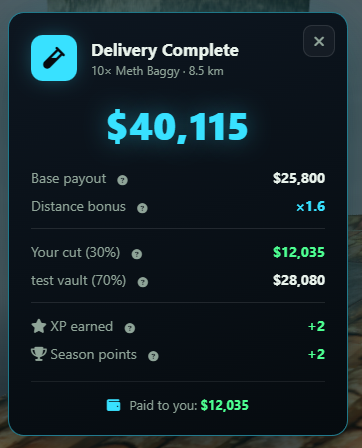
The Delivery Complete screen will open, detailing the financial breakdown:
Reward Breakdown & Money Split
- Total Payout: The total amount generated (ex $40,115), calculated from the base payout (Base payout: $25,800) multiplied by the distance bonus (Distance bonus: ×1.6).
- Your cut (30%): Your 30% cut as a courier (ex $12,035), paid directly into your cash wallet (Paid to you).
- Family Vault (70%): The 70% share (ex $28,080) deposited automatically into the organization vault.
- Bonus Points: You also earn +2 XP and +2 Season points.